
Tax season is over. For most accounting firms in Rhode Island, that means a few weeks to catch your breath before the next cycle of deadlines builds back up. It also means something more useful: this is the only stretch of the year when you can fix your technology without it costing you a client deadline.
During the rush, nobody wants to change anything. Everyone is buried, and the only goal is to keep the firm running. That is the right call in February. It is the wrong call in June. The off-season is when you fix the things you complained about all tax season — and the firms that use it well feel the difference the following January.
Start with the list you've been complaining about
You already know what was wrong. You lived it for three months. Before the memory fades, write it down. A few questions to work through:
- Which computers were slow?
- Which users had the same issue over and over?
- Did remote access actually work when people needed it?
- Were files easy to find, or did everyone have their own system?
- Did anyone fight with printing or scanning?
- Were tax software, QuickBooks, client portals, or your document management system causing problems?
- Do you have a real onboarding and offboarding process, or is it improvised every time?
- Are your backups actually being tested?
- Are your security policies enforced, or just assumed?
None of these are dramatic on their own. That is exactly why they survive tax season untouched — they are small annoyances everyone tolerates under deadline pressure. But small annoyances multiply across a dozen people working long days. They are cheap to fix in May and expensive to fix in January.
The real problem isn't a bad tool — it's treating IT like a pile of tools
A typical small accounting firm runs Microsoft 365, tax software, QuickBooks, a document management system, scanners, printers, client portals, remote access, local files, cloud files, and maybe a server. Each piece might technically work. But often nobody has stepped back to ask whether the whole setup is reliable, secure, and easy for staff to use. IT is not a collection of separate tools. It is one system, and it has to support the way the firm actually works.
A related assumption is worth correcting: that because something is “in the cloud,” it is automatically backed up, secure, and managed. It is not. Microsoft 365 still needs proper security settings, backups, multi-factor authentication, access reviews, and account management. The same goes for cloud tax platforms and file-sharing systems. Moving to the cloud changes where the work happens. It does not remove the work.
Lean is fine. Unprepared is not.
Most small businesses in Rhode Island are careful with money, and accounting firms are no different. Nobody wants to overspend on IT they do not need. That instinct is reasonable. But there is a difference between being lean and being unprepared.
Keeping old computers too long is the clearest example. It is easy to see why firms do it — if a computer turns on, it feels like it is still doing its job. But during tax season, a slow computer is not just annoying. It costs billable time every day it is in use. A machine that looks like savings on paper can be very expensive in practice.
The same logic applies to bigger projects. If a firm waits until December or January to replace computers, fix remote access, review security, clean up Microsoft 365, or deal with a backup problem, it is taking a real risk. At that point there is almost no room for error. A project that would be simple in June becomes stressful in January, because the firm cannot tolerate disruption. The irony is that running lean this way often creates more expensive emergencies later — planned work skipped in the slow months turns into rushed work during the busiest ones. Tax season is not the time to discover that the backup was never tested, the server is out of space, or the scanner everyone depends on is held together by luck.
The security gap nobody wants to deal with: access control
If there is one weak spot common to small accounting firms, it is access control. Sensitive client data ends up spread across Microsoft 365, tax software, file shares, QuickBooks, portals, and old folders. Over time, people get access to things because it is convenient — and nobody goes back to clean it up.
Former employees may still have access somewhere. Current employees often have more access than they need. Shared accounts exist because “that's how we've always done it.” Multi-factor authentication is enabled for some users but not enforced consistently. Admin rights get handed out too freely because a program needed them once, five years ago.
For an accounting firm, this matters more than for most businesses. You hold tax returns, Social Security numbers, payroll records, financial statements, and business owner information. That data is valuable, and it is exactly what an attacker wants.
The fix is not buying another security tool. It is the boring but important work: know who has access to what, remove access when people leave, limit admin rights, enforce MFA consistently, review Microsoft 365 permissions, back up your cloud data, document the process, and test recovery before there is an emergency. None of that is exciting. It is also exactly what protects a small firm when something goes wrong.
What belongs year-round, and what's actually seasonal
Some IT needs do not have a season. Security, backups, monitoring, support, and maintenance are year-round work. Attackers do not wait until tax season. Hardware does not fail only when it is convenient. Microsoft 365 accounts do not get compromised only during busy months. Backups need to be monitored and tested all year.
A reasonable year-round foundation for an accounting firm looks like this:
- Managed workstations and servers
- Security monitoring and endpoint protection
- Microsoft 365 security management
- Multi-factor authentication
- Backup and recovery
- Patch management
- Vendor coordination
- Help desk support
- Documentation
- User onboarding and offboarding
What can be seasonal is capacity and planning. Before tax season, a firm may need extra temporary user accounts, additional software licenses, seasonal workstations, more remote access support, or onboarding help. That is fine — but those seasonal needs should sit on top of the year-round foundation, not stand in for it. And they should be planned ahead, not discovered after the first emergency.
Use the window while you have it
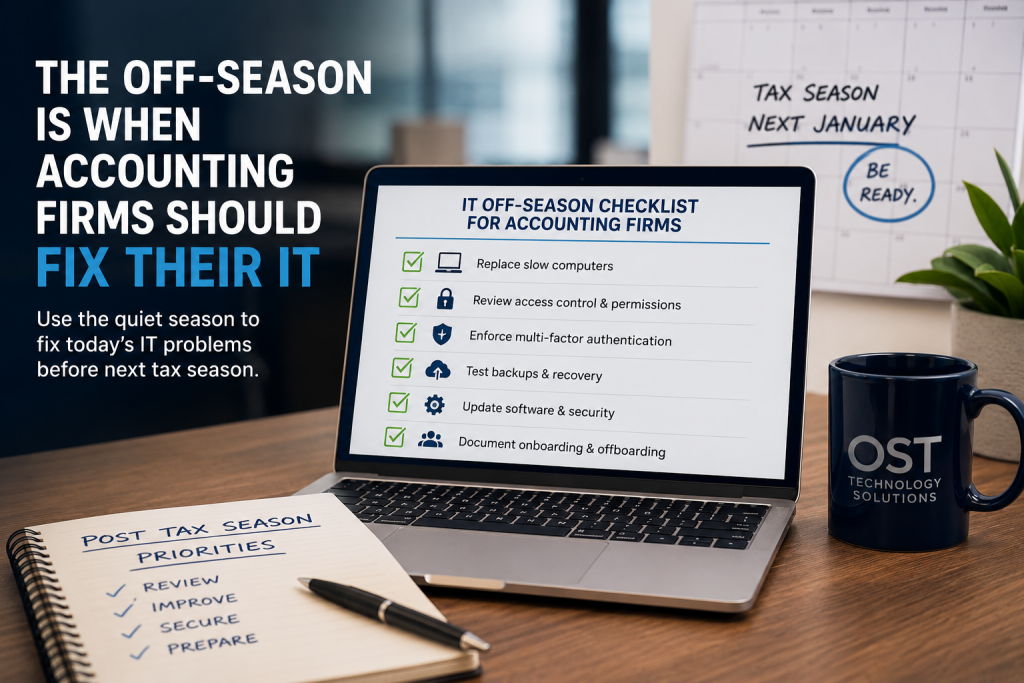
The off-season is for the projects that need room to breathe: replacing aging workstations on your own schedule, cleaning up the server, reviewing Microsoft 365, testing a real backup restore, sorting out who has access to what, and writing down how everything is set up. Closer to fall, you review what needs to scale up before the next rush.
This is not complicated. The firms that treat the off-season as planning time go into January with reliable equipment, tested backups, and a staff that is not fighting its tools. The firms that ignore it go into January hoping nothing breaks — and pay for it later in stress, downtime, and emergency work.
You have a window right now, and it closes a little more every week as the next cycle builds. The best time to fix your IT is when it isn't on fire.
If you want a straight assessment of what your firm should handle before next tax season — and what can wait — OST works with accounting firms across Rhode Island. We are happy to walk through your list with you.

